The original Seaquence.org is back!

The musical creatures from 2010 are swimming again! We rebuilt the original Flash version of Seaquence for the web, and you can play it right in your browser at seaquence.org.
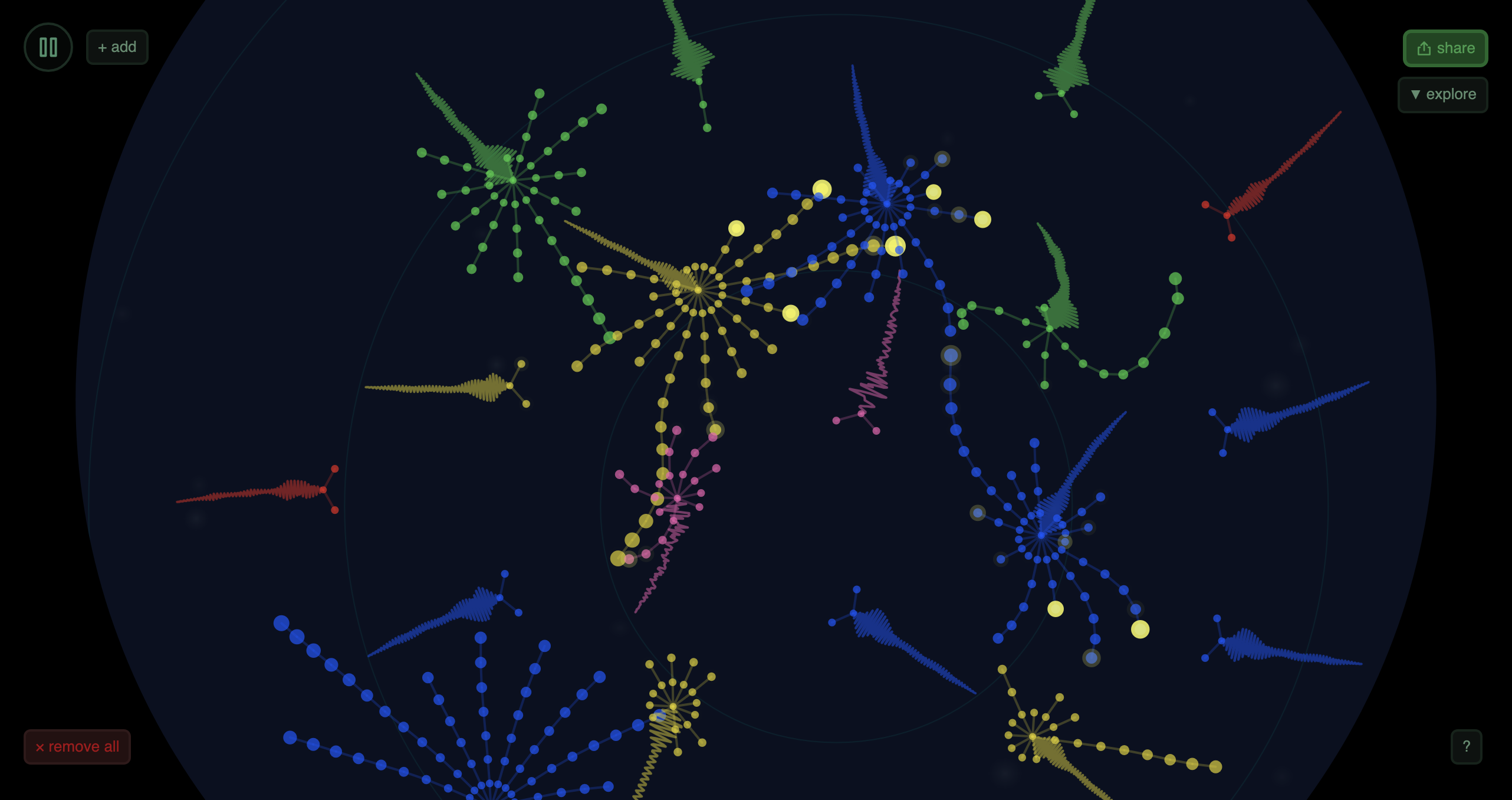
Play the original Seaquence, shown with colorful creatures swimming in the pond

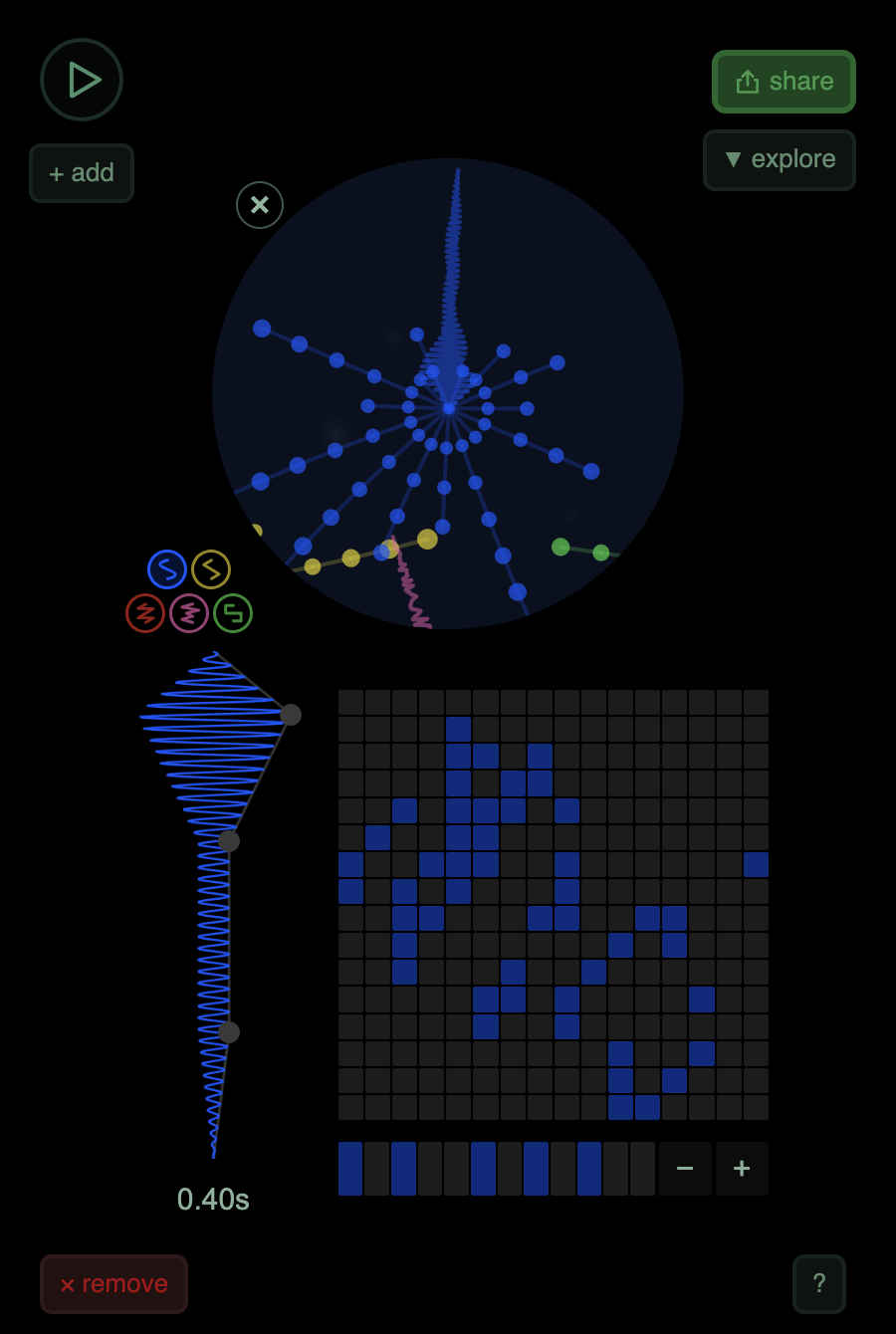
Start with one creature and draw a few notes in its grid. Each pitch gives the creature an arm, and each note you add at that pitch gives the arm another joint. Give a second creature a rhythm of its own, then close the editor to hear the two play together.
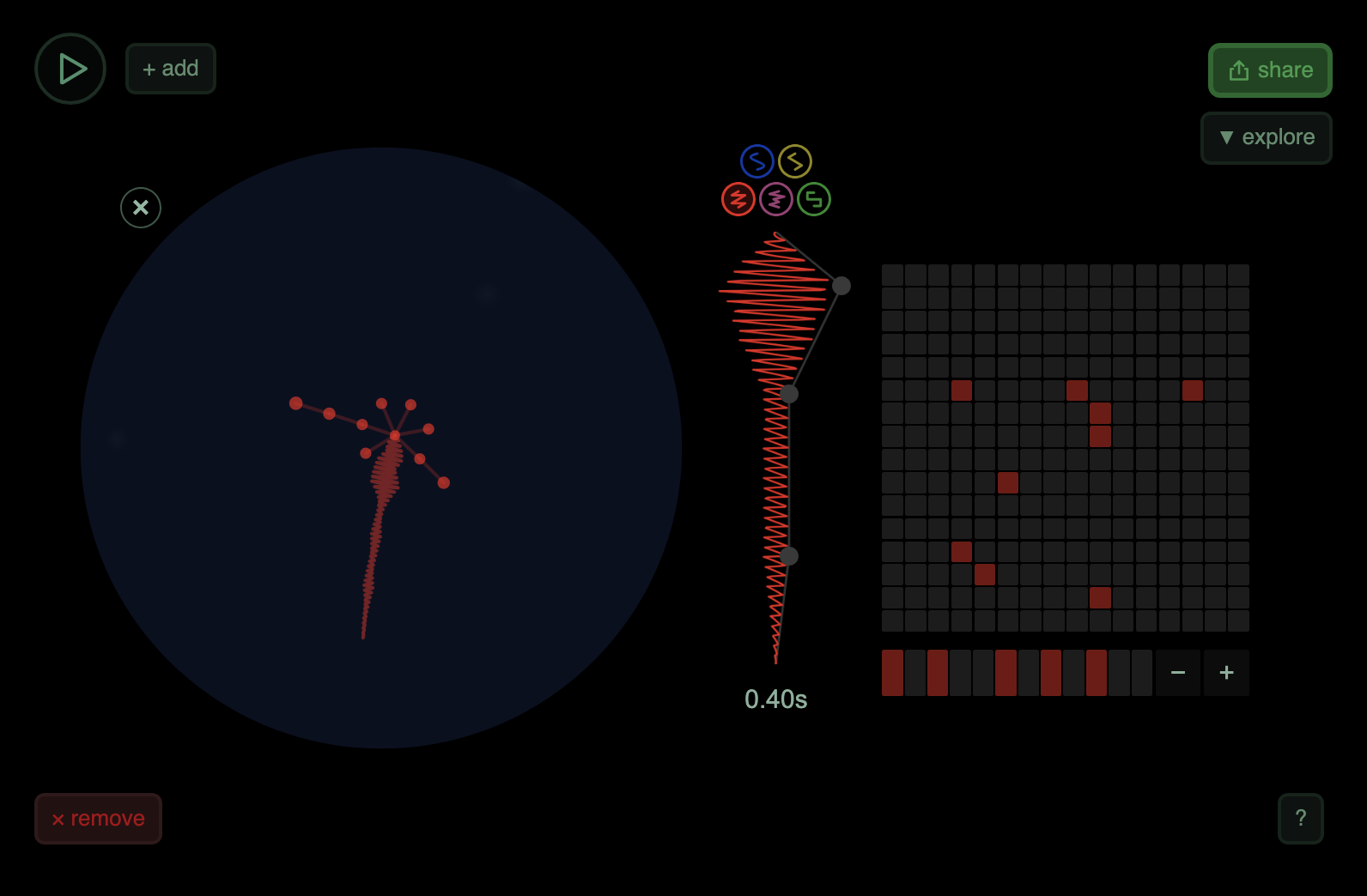
Desktop editor with a blue creature in the pond and its note grid to the right

Mobile browser editor with the blue creature above its note grid

Ryan Alexander, Gabriel Dunne, and Daniel Massey created Seaquence during a residency at Gray Area in 2010. Players went on to share more than 300,000(!) compositions. If you still have a link to a piece you made back then, open it and listen again. You can also explore others creations from the app.

Seaquence is now available on iPhone and iPad. In the iOS app, you create compositions with a much more capable sound engine, draw notes and interact with the creatures with your fingertips, and explore the Seaquence Galaxy to hear what other players have made.

Seaquence for iPhone and iPad Download on the App Store

Play the original Seaquence at seaquence.org.

Seaquence v1.2.2 Minor Update

Happy new year!

Seaquence has been updated to v1.2.2, now available in the App Store.

New in v1.2.2

  • Updated UI layout for iPhone X
  • Fixed a bug that caused web links to load empty sessions
  • Fixed a bug that could cause the sea to be untouchable

New in v1.2.0

  • Support for iOS 12
  • Support for landscape orientation on both iPad and iPhone
  • New stereo delay with independent free or quantized delay time per channel allowing for lush, spacial delay effects.
  • Notestep UI now allows any note division between 1 and 64
  • New setting to enable/disable spawning with random notes

Seaquence v1.2.1 Minor Update

Seaquence has been updated to v1.2.1, now available in the App Store!

New in v1.2.1

  • Fixed a bug that could cause Seaquence to crash if it was opened while another app was playing audio.

New in v1.2.0

  • Support for iOS 12
  • Support for landscape orientation on both iPad and iPhone
  • New stereo delay with independent free or quantized delay time per channel allowing for lush, spacial delay effects.
  • Notestep UI now allows any note division between 1 and 64
  • New setting to enable/disable spawning with random notes

Seaquence v1.2.0 Update

Seaquence has been updated to v1.2.0, now available in the App Store!

What’s New in Version 1.2.0

  • Support for iOS 12
  • Support for landscape orientation
  • New stereo delay with independent free or quantized delay time per channel allowing for lush, spacial delay effects.
  • Notestep UI now allows any note division between 1 and 64
  • New setting to enable/disable spawning with random notes

Tweaks

  • Filter attack envelope tracks cutoff is maintained after hitting vertical bounds.
  • Removed in-app screen recorder in favor of the built-in iOS screen recording feature.
  • Updated various colors and icons
  • Added a link to the Seaquence subreddit /r/seaquence in the Settings panel
  • Various bug fixes

Seaquence v1.1.0 Update

Seaquence has been updated to v1.1.0, now available in the App Store!

What’s New in Version 1.1.0

  • Built-in audio AND video recording/export using Apple Replay-Kit. Export audio and video to other apps.
  • Enhanced MIDI support: Sources/Destinations can now be selected individually.
  • Settings are now accessible in-app! No more iOS settings panel
  • Tweaks to compressor settings resulting in larger dynamic range when lots of voices are playing. Experience greater fidelity in complicated mixes!
  • Faster session loading
  • Pinch Zoom
  • New filter control which allows you to morph between the 4 different filter types dynamically, allowing for more expressive spectral control
  • BPM and Transpose are now included in the free download
  • Tap Tempo on BPM
  • Play Audio in Background (option)
  • Max Active voices – set how many voices can play at once (option)
  • Showing/hide note names in sequencer (option)
  • MIDI Enable/Disable (option)
  • More accurate and consistent MIDI clock / note timing
  • MIDI latency adjustment
  • Improved IAP purchase flow and messaging
  • Updated graphics / icons
  • UI Tweaks
  • Various Bug Fixes

Archives